Removebg Desktop

Process image batches locally on macOS or Windows. Compare model results, refine edges, and export finished images without uploading them for inference.

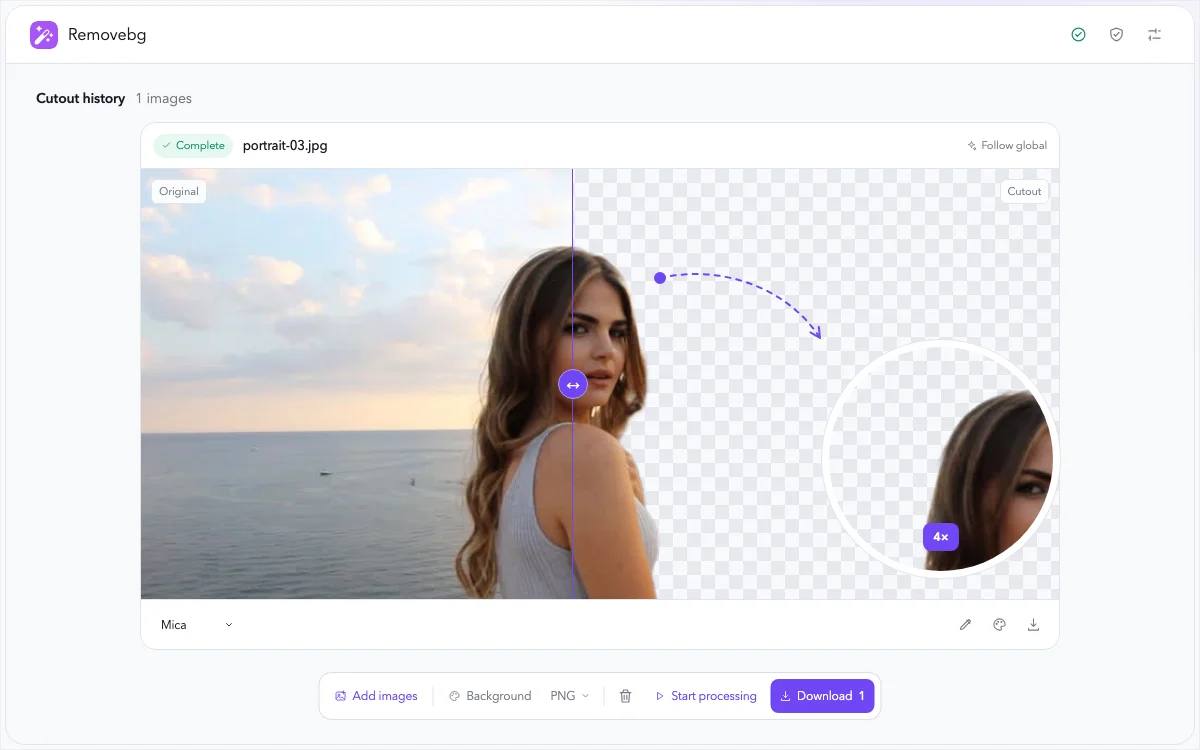
Drag to compare the original with the transparent result, hair and complex edges stay crisp

Drag to compare the original with the transparent result, hair and complex edges stay crisp

Choose your desktop plan

Try the complete local workflow for free, or choose a lifetime license for ongoing batch processing.

Lifetime License

$29.90 USD

A one-time purchase for a local workspace built for repeat batch work. Process folders, compare models, refine edges, and export each image on your device.

  • Lifetime use
  • 3 devices
  • Unbind and rebind freely
  • Switch between models
  • Fully local processing

Free Trial

Free

Explore the full desktop workflow before you buy, with local processing and no payment required.

  • 48 hours of new processing
  • Up to 80 local processing uses
  • Batch processing and model comparison
  • Review, edit, and export existing results anytime
Download free trial

A desktop workflow built for repeat work

Move from a folder of source images to reviewed exports in one local workspace, with clear checkpoints before anything is saved.

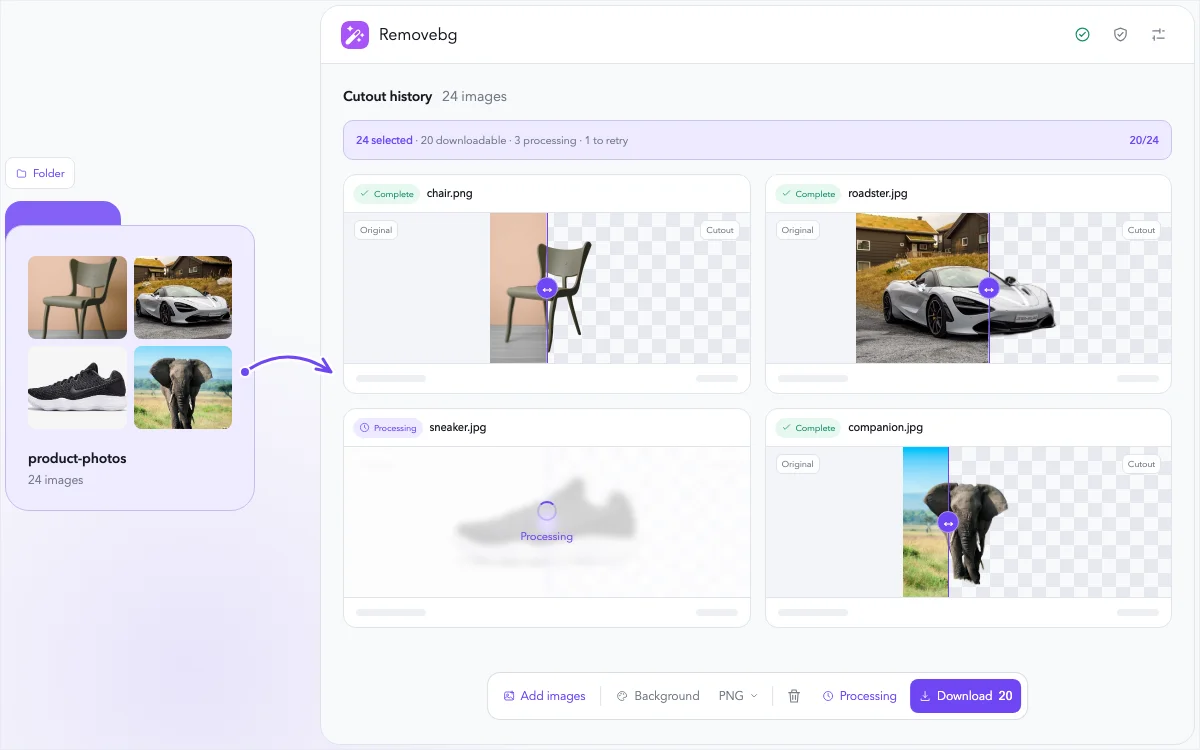
Process a full batch

Add files or a folder to the queue. Process PNG, JPEG, or WebP images together and retry only the items that need another pass.

Keep processing on-device

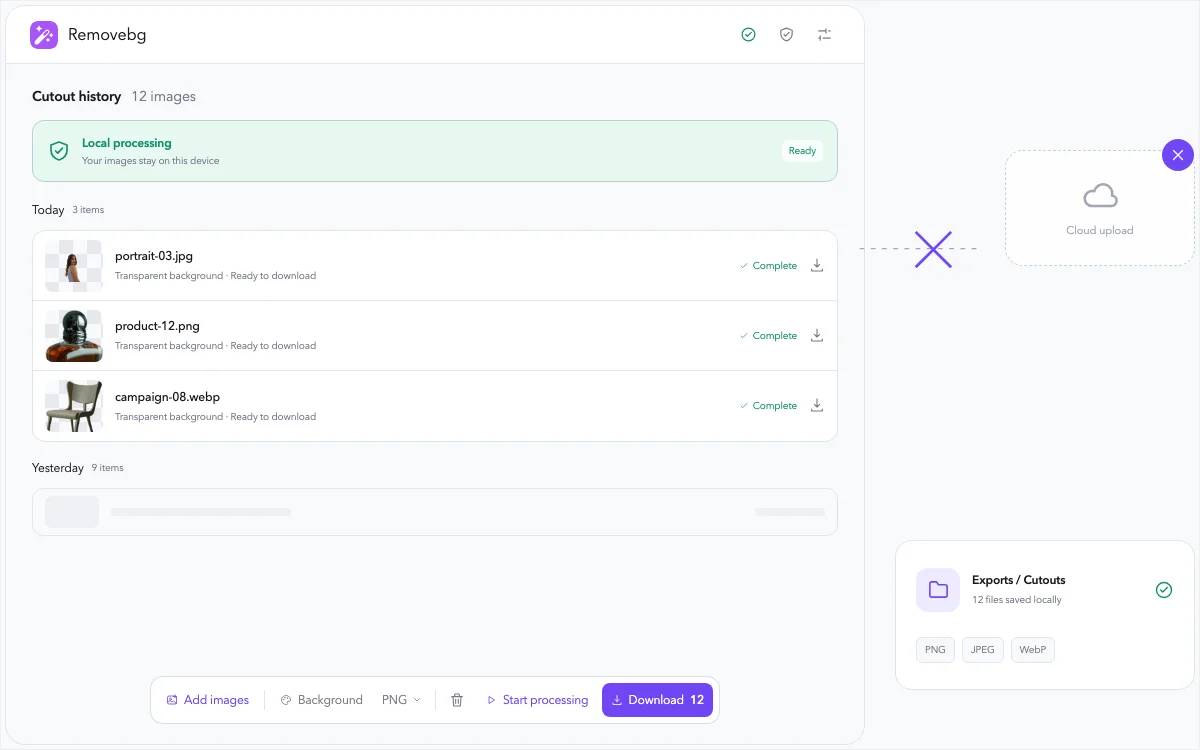
The desktop models run on your device. Source images and cutout history stay in the local workspace and are not uploaded for inference.

Compare local model results

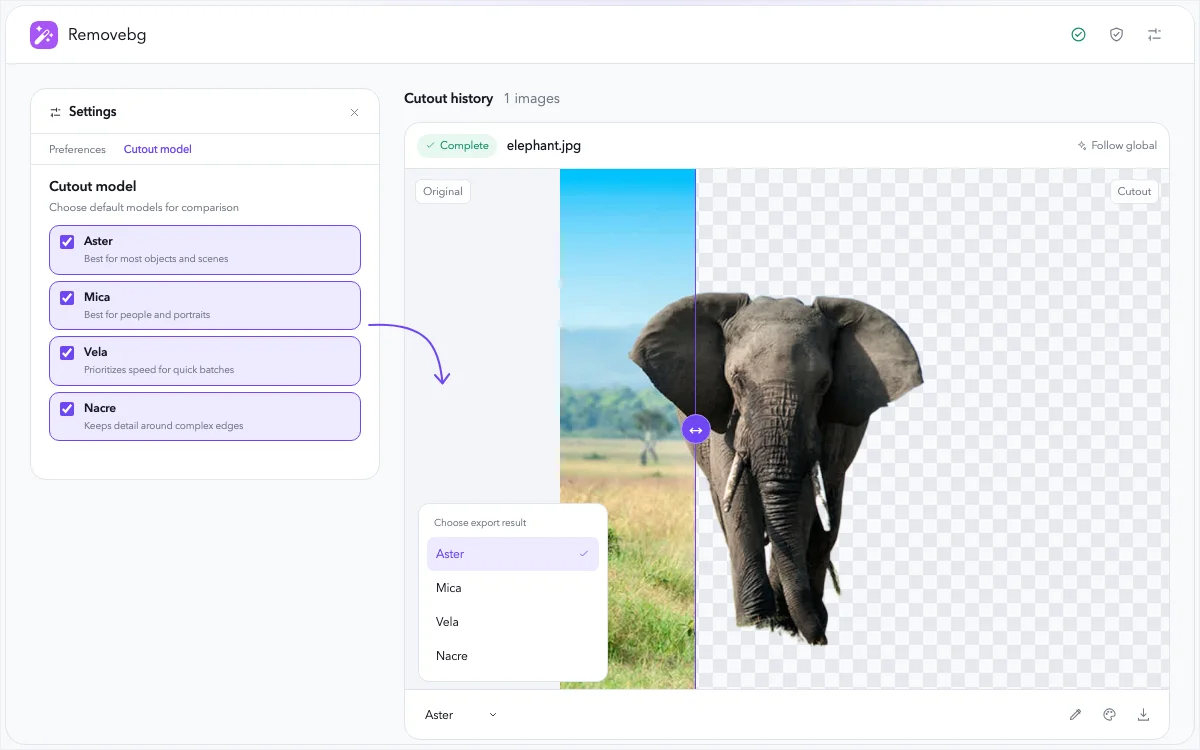
Run one or several models for a batch, compare each image, and keep the version with the edge detail you need.

Refine before you export

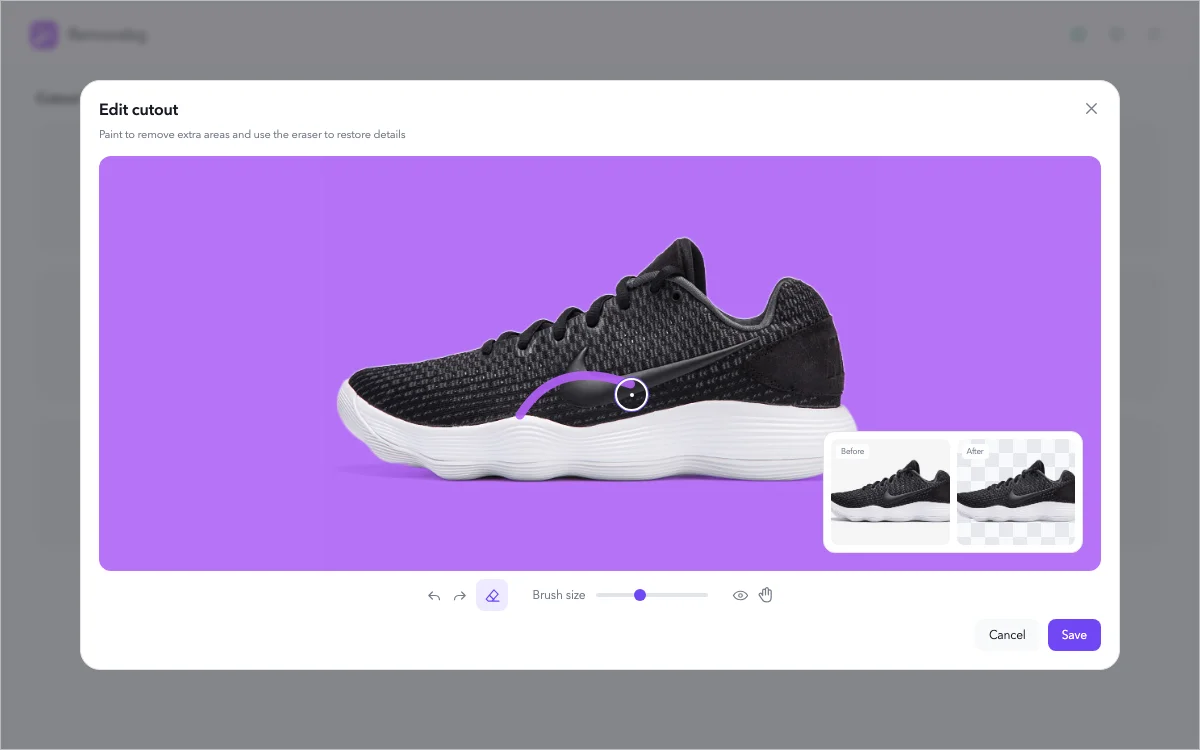
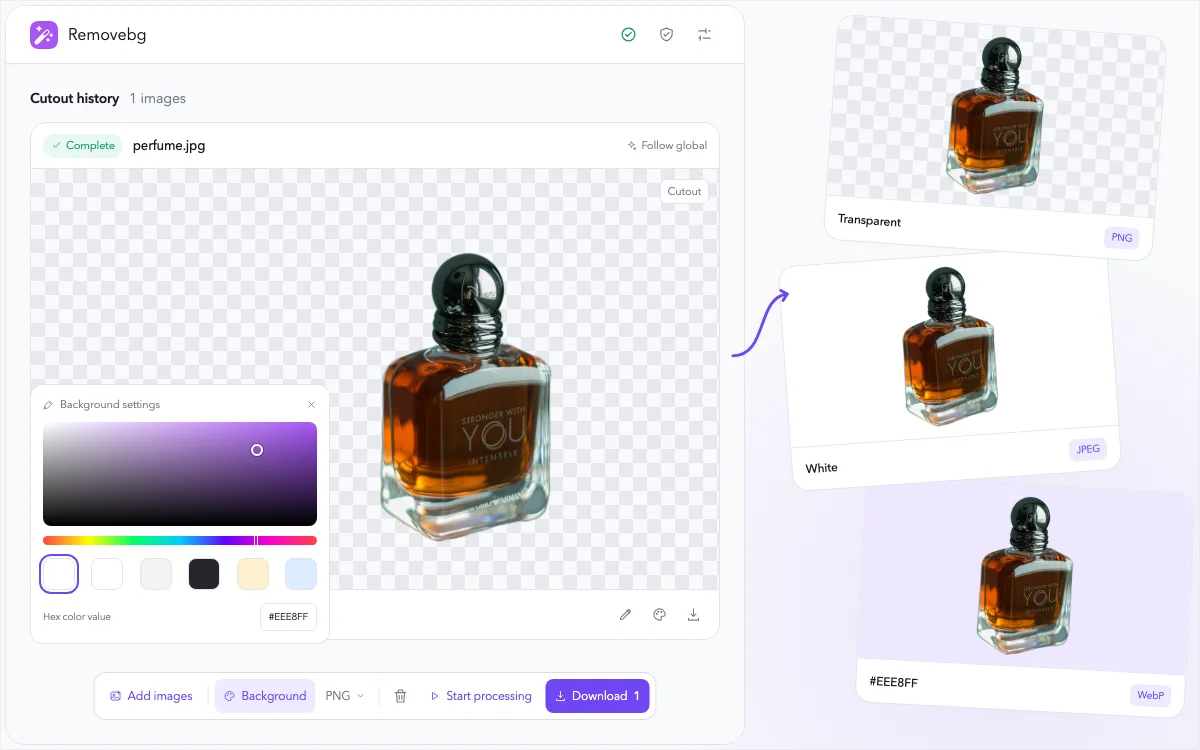
Adjust edges, preview a transparent or solid background, and change the output format without running the cutout again.

Return to recent work

Reopen recent results, compare source and output side by side, export selected images, or clear local caches when you are done.

Choose from four local models

Use a balanced, portrait-focused, fast, or detail-preserving model depending on the subject and the edge you need to inspect.

01

Aster

Balanced for everyday objects and scenes.

02

Mica

Tuned for people and portrait photos.

03

Vela

A faster pass for larger batches.

04

Nacre

Preserves more detail around complex edges.

From folder to finished files

A simple four-step workflow keeps each decision visible while your images stay on your device.

  1. Add images

    Choose files or a folder and review the queue before processing.

  2. Choose a model

    Select one or more local models based on the subject and edge detail you want.

  3. Review and refine

    Compare results, keep the best version for each image, and adjust the edge or background preview.

  4. Export the batch

    Choose PNG, JPEG, or WebP, select an output folder, and export ready images.

Removebg Desktop download FAQs

Ready for a local cutout workflow?

Process entire folders locally, compare model results, refine difficult edges, and export transparent or solid-background images from one workspace. Start with the free trial, then choose the lifetime license when you are ready for ongoing batch work on macOS or Windows.